

Planned Downtimes / Maintenance
Introductioin
Maintenance work is commonplace in IT: updates need to be installed at 3 a.m., an important RAM upgrade is required during the day to improve server performance, or the nightly database backup can result in longer loading times. For such purposes, it is possible to set up planned maintenance work so that no notifications are sent during the maintenance work.
Time planning
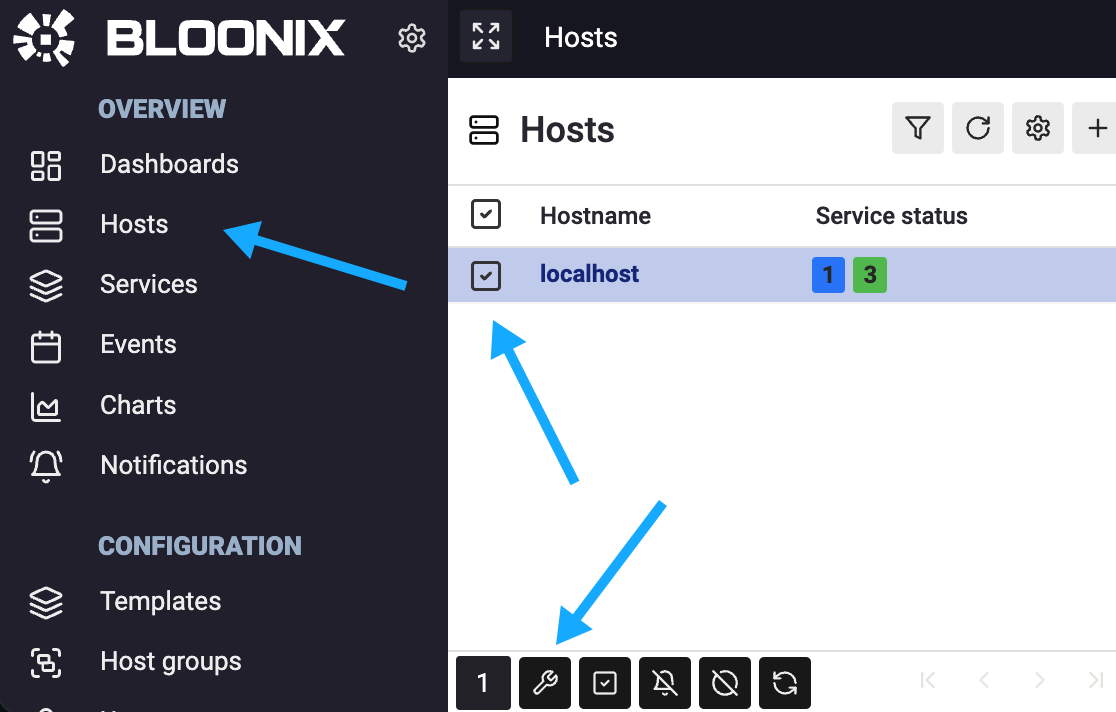
Planned downtime can be configured for each host and service. An easy way to schedule downtime is via the host list and the action bar in the footer:
There are two variants: fixed times and recurring times.
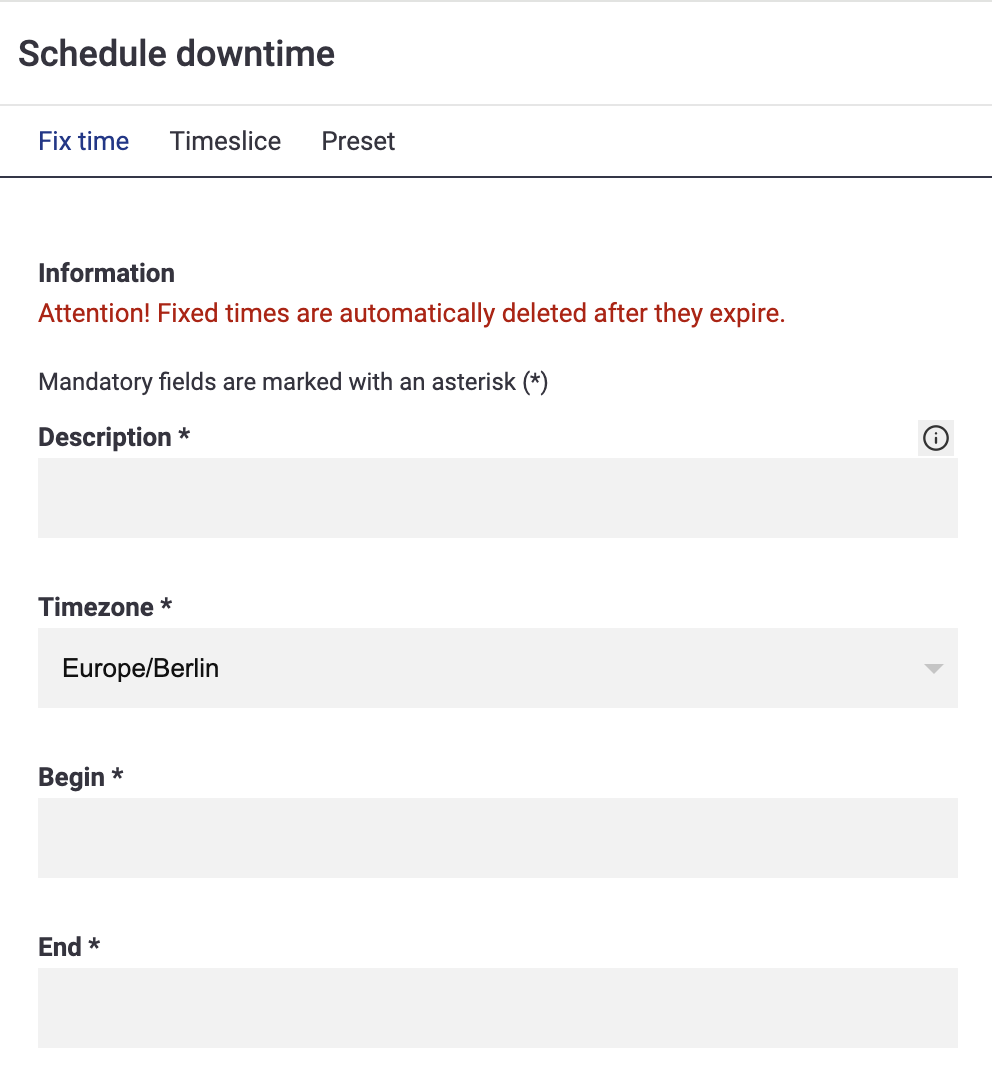
Fixed time
A fixed time has an exact date and time, e.g.
Begin: 2024-11-01 16:00
End: 2024-11-01 17:00
Please note that fixed downtimes are automatically deleted when they expire in order to clean up the database.
Recurring Times, timeslice
Recurring times, on the other hand, do not have a fixed date, but can occur daily or weekly, e.g.
Monday - Sunday 16:00 - 17:00The syntax for recurring times is quite simple:
Syntax: DAY-RANGE TIME-RANGE

Examples:

DAY-RANGE           TIME-RANGE
Monday - Friday     09:00 - 17:00
Monday - Friday     00:00 - 08:59, 17:01 - 23:59
Saturday - Sunday   00:00 - 23:59

DAY RANGE                       EXAMPLES
------------------------------------------------------------
Weekday                         Monday
Weekday - Weekday               Monday - Friday
Month                           Januar
Month - Month                   Januar - July
Month Day                       Januar 1
Month Day - Month Day           Januar 1 - July 15
Year                            2010
Year - Year                     2010 - 2012
YYYY-MM-DD                      2010-01-01
YYYY-MM-DD - YYYY-MM-DD         2010-01-01 - 2012-06-15

TIME RANGE                      EXAMPLES
------------------------------------------------------------
HH:MM - HH:MM                   09:00 - 17:00
HH:MM - HH:MM, HH:MM - HH:MM    00:00 - 08:59, 17:01 - 23:59
Service Status
If a host or service has an active downtime, the status of the service is set to INFO. The service also receives the notice downtime:
